 Offline

Keyboards to input Devanagari, Kannada, Tamil, Telugu, and Malayalam text.
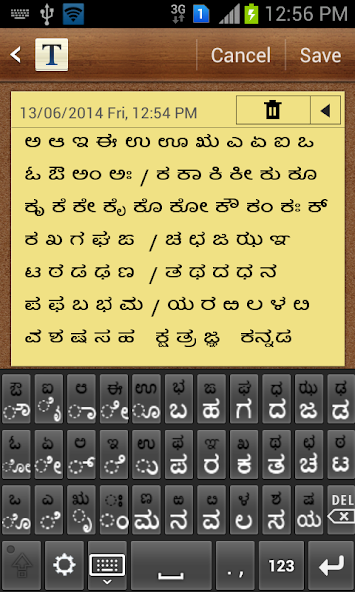
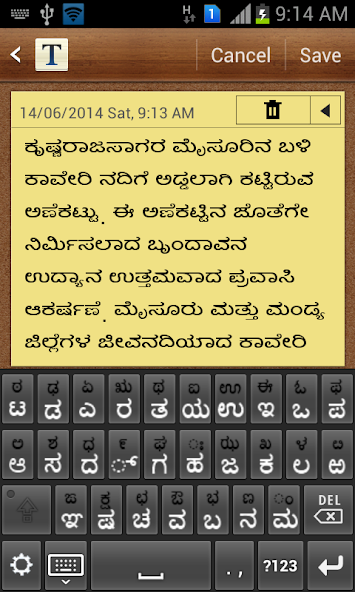
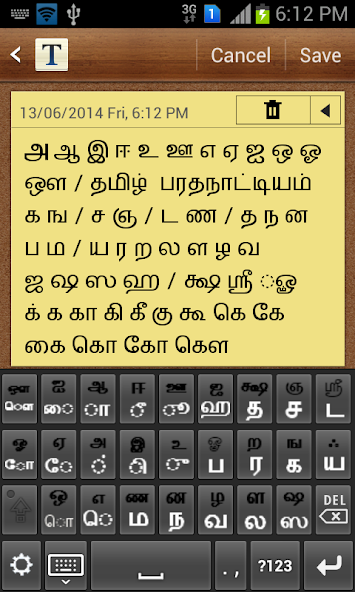
An input method editor (on-screen keyboard) that enables entering of text in Devanagari, Kannada, Tamil, Telugu, and Malayalam scripts. Users can choose from either InScript or 3x4 keyboard layout. In addition, KaGaPa layout for Kannada and TamilNet99 layout for Tamil are also supported.
This app adds keyboards only and doesn't add any font or rendering engine for displaying indic text. Hence install this app only if your phone/tablet already supports indic text. If your phone properly displays the below indic text, then it has the required indic fonts and rendering engine. However, if you see boxes or disjoint characters then it doesn't.
Kannada: ಬೆಂಗಳೂರು ಕರ್ನಾಟಕದ ರಾಜಧಾನಿ
Telugu: తిరుమల వేంకటేశ్వర స్వామి వెలసిన ఒక పుణ్యక్షేత్రం
Tamil: சென்னை தமிழ்நாட்டின் தலைநகரமும்
Malayalam: ഇന്ത്യയുടെ തെക്കുപടിഞ്ഞാറെ അറ്റത്തുള്ള സംസ്ഥാനമാണ് കേരളം.
Hindi: संस्कृत भारत की एक शास्त्रीय भाषा है।
Installation:
* Install the app from Google play.
* Go to "Settings", open "Language and input".
* Select "IISc MILE Indic Keyboards". Click "OK".
Select language/keyboard:
* Open the app where you want to enter indic text.
* Select input method by either long pressing in the edit text or from the top status bar.
* In "Select input method" dialog, select "IISc MILE Indic Keyboards".
* By default, Kannada "KaGaPa" layout is shown.
* To change language/keyboard, click settings icon at the bottom left of keyboard.
* Select input language followed by keyboard layout.
v1.0:
Supports InScript and 3x4 keyboard layouts for Devanagari, Kannada, Tamil, Telugu, and Malayalam scripts. In addition, KaGaPa layout for Kannada and TamilNet99 layout for Tamil are also supported.
If you are bored with playing the vanilla version of Metaphor ReFantazio, you can check out these five mods.
Get free Primogems, Mora, Experience, and more with these November 2024 Genshin Impact codes, 5.1 livestream codes, and find out how to redeem active codes.
Struggling with your submissions for Roblox's The Haunt event in 2024? Check out our guide on using Dress to Impress to create your captures!
Our walkthrough for Dragon Age: The Veilguard with some handy tips and tricks, with guides for puzzles, bosses, companions, equipment, romance, and more!
Looking for some bonus resources in Sea of Conquest: Pirate War? We’ve got you covered with these codes for the latest seafaring freebies.
Which faction should you pick in Dragon Age: The Veilguard?
On our website, you can easily download the latest version of MILE Indic Keyboards! No registration and SMS required!